Accounting & Finance
Close your books faster, with numbers you can defend
Automated double-entry bookkeeping, one-click P&L, balance sheet, cash flow and trial balance, and a real-time dashboard instead of a report about a month that has already ended.
Set up in under two minutes. Import your chart of accounts from Excel or CSV.
Bookkeeping problems that show up every month
Month-end takes two weeks.
By the time the numbers are ready, the month they describe is already history and the decisions have been made without them.
Reconciliation lives in a separate spreadsheet.
The system produces one figure, the spreadsheet corrects it, and only one person knows which is right.
Foreign software does not fit how you book things.
Every month someone exports it, reworks it in Excel, and hopes nothing was missed.
Foreign currency transactions get handled by hand.
Rates are applied manually, inconsistently, and rarely documented.
Why Qorpy Accounting
Bookkeeping that keeps itself honest
Double entry, applied automatically, on the same database as your sales, payroll and expenses.
Reports in one click, not one fortnight
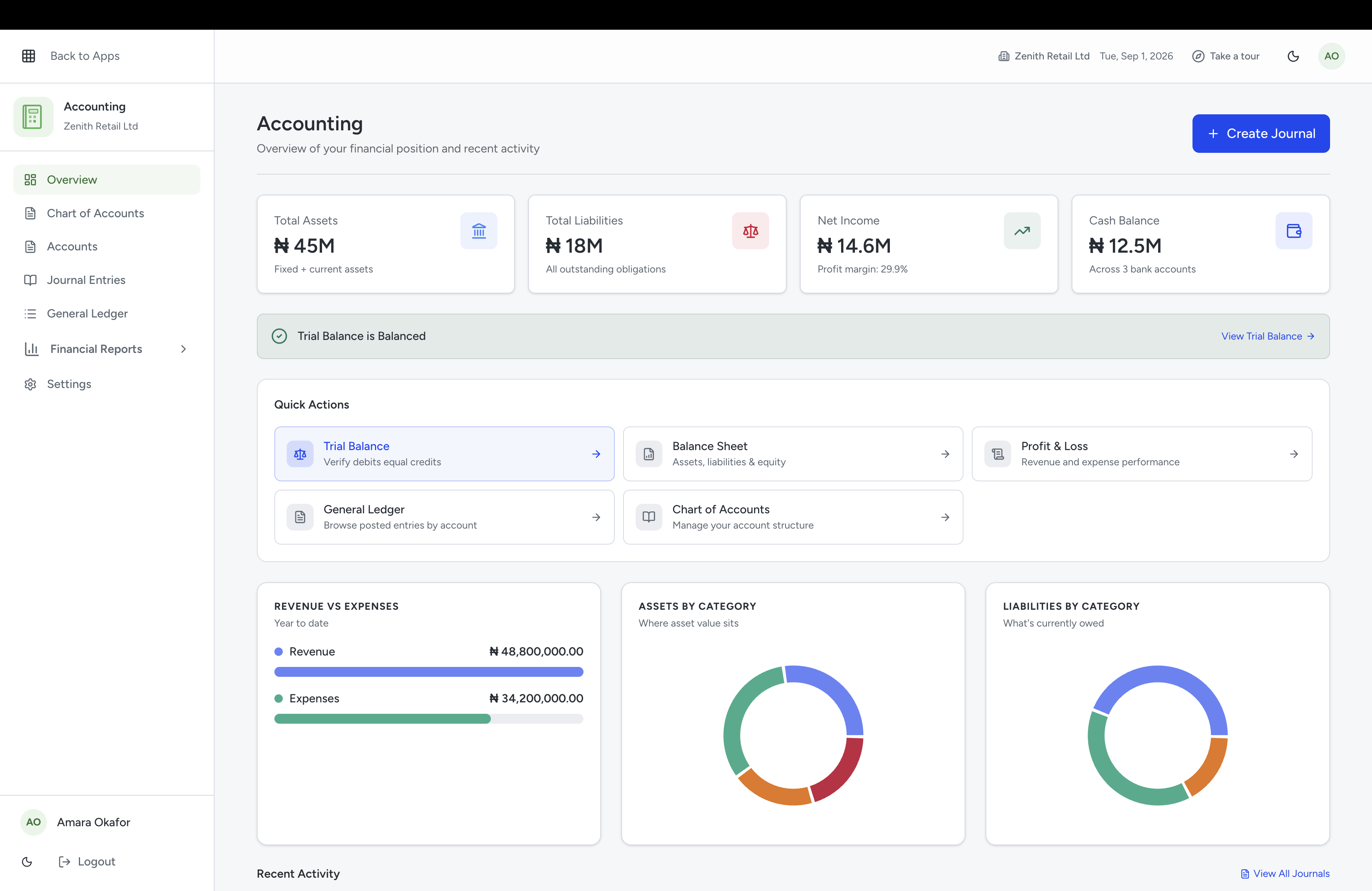
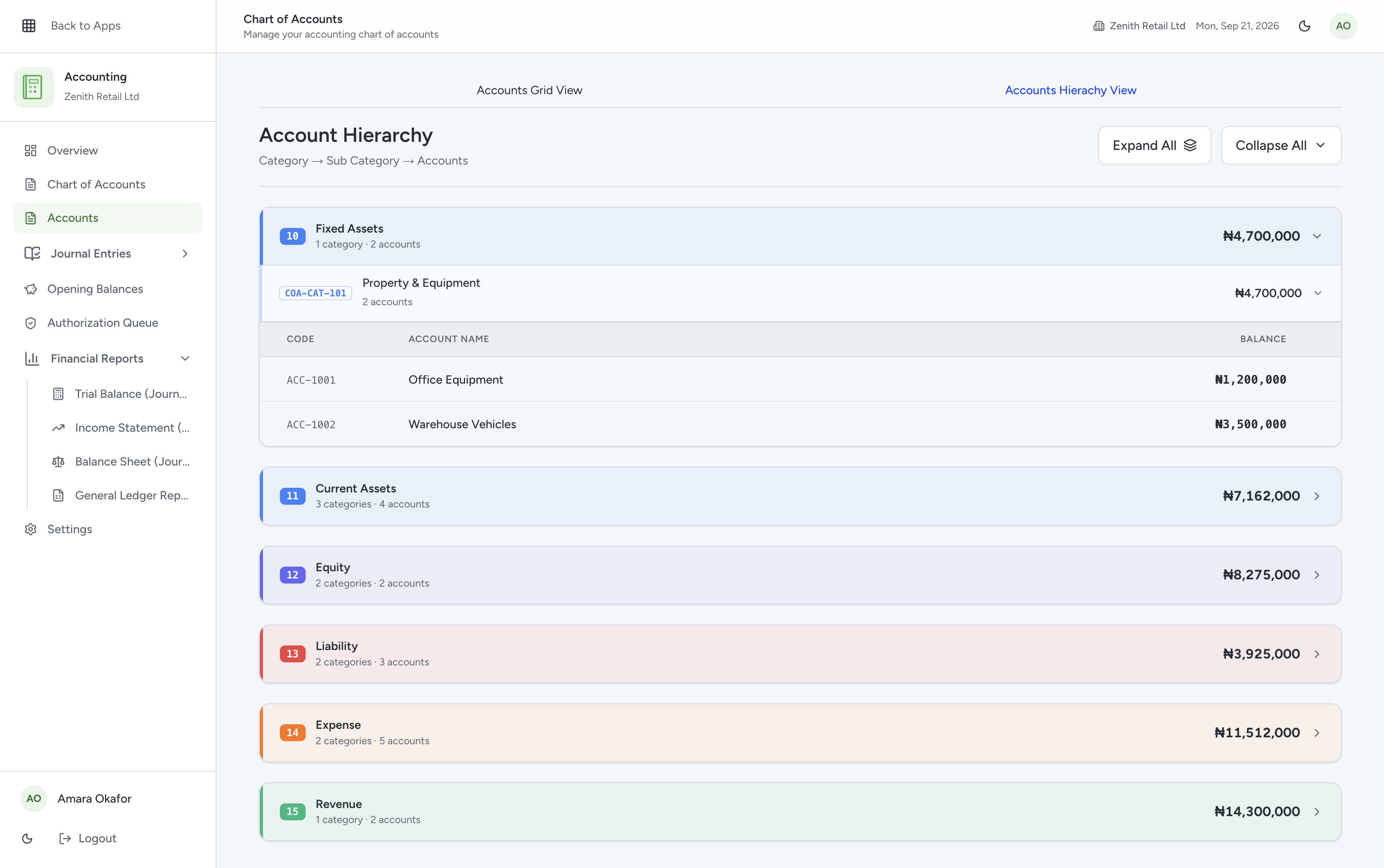
Profit and loss, balance sheet, cash flow and trial balance generate from the ledger as it stands right now, so the answer to how are we doing is always on the screen.
- P&L, Balance Sheet, Cash Flow and Trial Balance
- Real-time financial dashboards
- Period comparison without rebuilding anything
A chart of accounts shaped like your business
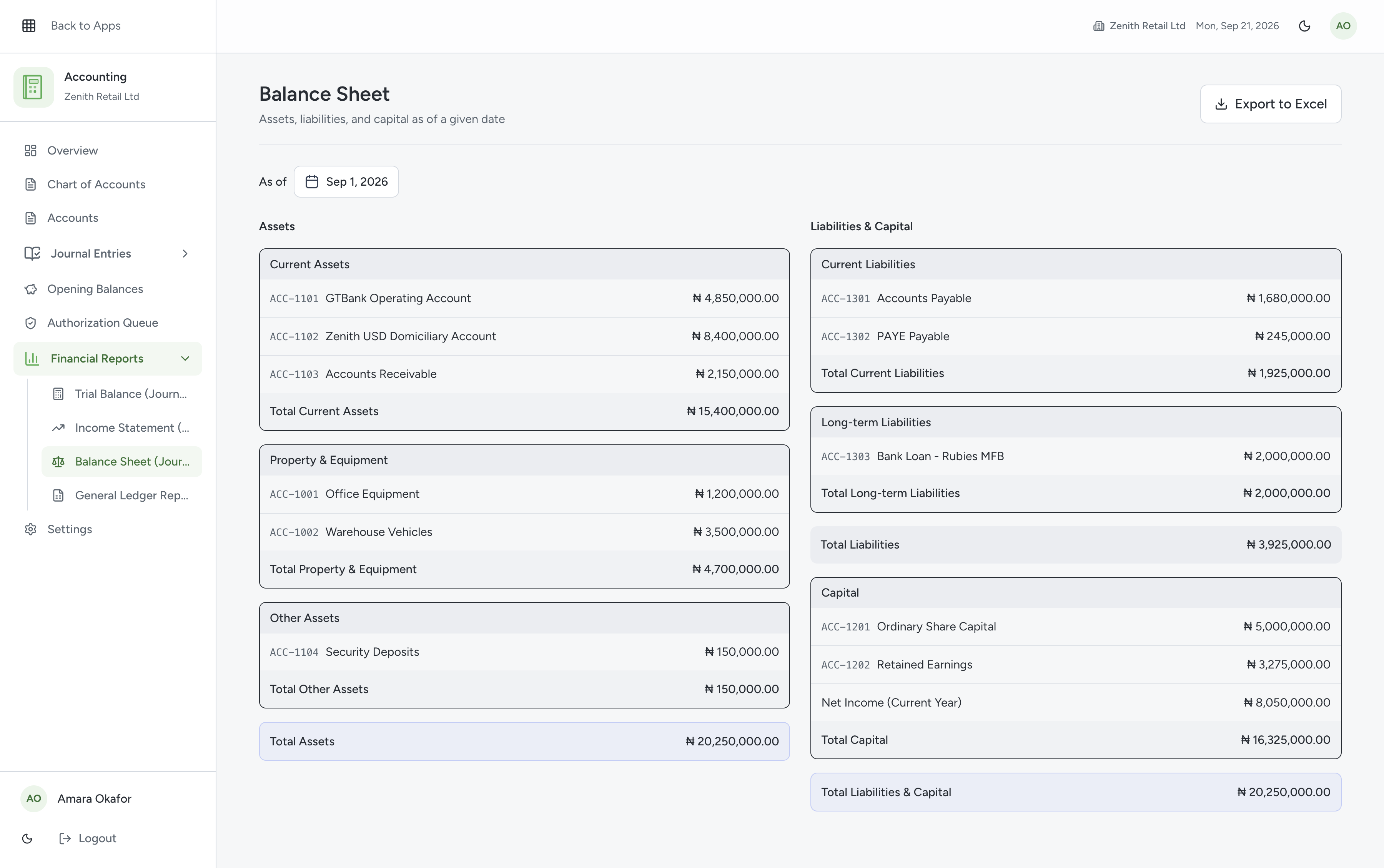
Build the structure you actually use, with your own categories, and let journal entries and reconciliation run against it rather than around it.
- Chart of accounts with custom categories
- Automated journal entries and reconciliation
- Import your existing structure from Excel or CSV
Journal entries that take seconds, not spreadsheets
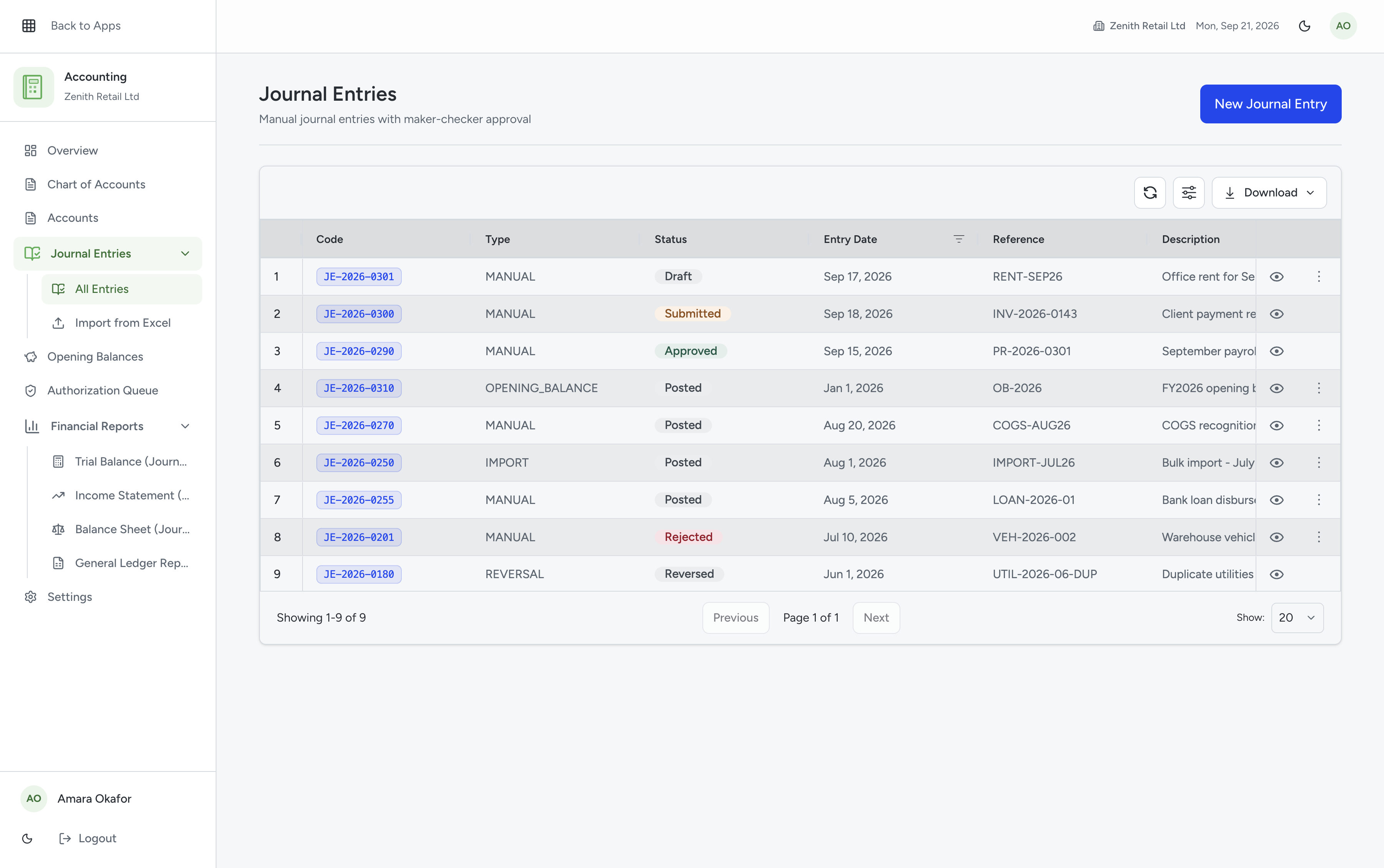
Post double-entry journals straight into the ledger, with debits and credits validated as you type, so nothing gets submitted out of balance.
- Guided entry with automatic debit/credit balancing
- Attach supporting documents to every entry
- Full audit trail from entry to approval
What is included
Every item below is live in the Accounting and Finance module today.
Automated double-entry bookkeeping
Entries balance as they are recorded, not at month-end.
Chart of accounts with custom categories
Structured the way your business is actually organised.
Automated journal entries and reconciliation
Less manual posting, fewer places for the numbers to drift.
Multi-currency support
Local and foreign currencies in the same ledger.
Real-time financial dashboards
The current position, not last month's.
P&L, Balance Sheet, Cash Flow, Trial Balance
Generated in one click, whenever you need them.
From sign-up to your first set of reports
Four steps, in order. Most teams get through all four in a single afternoon.
Create your account
Sign up in under two minutes and choose your industry and business size.
Set up your accounts
Import your chart of accounts, customers and opening balances from Excel or CSV.
Invite your finance team
Assign roles so the right people can post, approve and view.
Pull your first report
Generate a profit and loss, balance sheet or cash flow statement straight from the ledger.
The three things people ask before they switch
Answered here rather than on a sales call, because you should not have to book a meeting to find out whether something fits.
Can my external accountant get access?
Yes. Add them as a user and give them the role that fits. They see the ledger rather than a file you exported for them.
What happens to my data if we leave?
You retain all rights to the data your organisation submits, and you can export it. The terms are set out in our Terms of Service.
Is our data actually secure?
AES-256 encryption at rest, TLS in transit, role-based access and automated backups, with each organisation's data logically isolated.
Frequently asked questions
Can't find your answer? Reach out to our team and we'll get back to you within an hour.